Few things are as annoying as an online form rejecting your photo for being "too large" or "wrong size". Here are the sizes that matter and a free way to hit them.
Indian passport photo
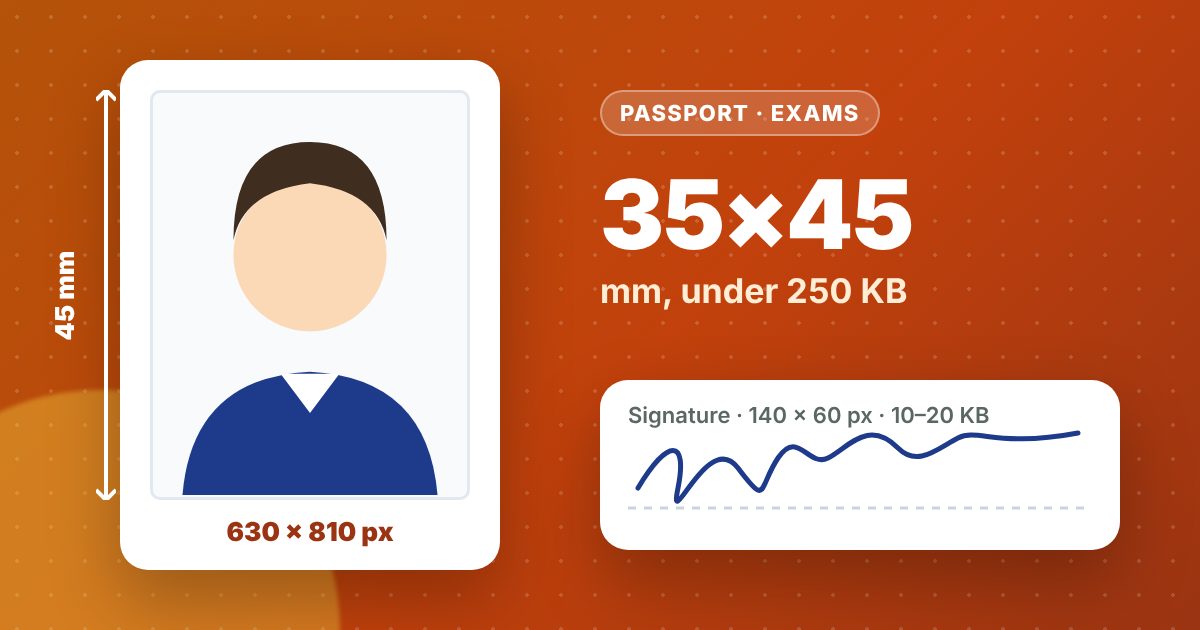
- Size: 35 × 45 mm
- In pixels: 630 × 810 (35×45 mm at about 457 dpi)
- File: JPG, up to 250 KB
- Plain white or very light background, face straight to the camera, eyes open, no cap or dark glasses
Bank and government exam forms
Most bank exams follow the same pattern, and many other recruitment forms are similar:
| Upload | Pixels | File size |
|---|---|---|
| Photo | 200 × 230 | 20–50 KB |
| Signature | 140 × 60 | 10–20 KB |
Always check the official notification for your exam, because limits sometimes change. Our tool has presets and a custom option for any other size.
Make one at home in a minute
- Take a photo against a plain wall in daylight. Use the back camera, not a selfie.
- Open the photo and signature resizer and pick the preset.
- Drag and zoom so your face fills the frame, then download. It automatically sets the quality so the file lands inside the KB limit.
- For a printed passport photo, download the 4×6 print sheet with 8 photos and get it printed at any photo shop for a few rupees.
Signature tips
- Sign with a black pen on plain white paper.
- Photograph it flat, in good light.
- In the tool, choose Signature and keep Clean background ticked. It whitens the paper and darkens the ink so the scan looks crisp.
Everything happens in your browser. Your photo is never uploaded to us.